


Currently sat on a GWR train on my way to South Wales and miracle of miracles the WiFi on the train is working. I know, I should buy a lottery ticket and fully bathe in my good fortune. But, is public WiFi safe to use? Aren’t nasty hackers sitting quietly in the corner watching everything you are doing online?
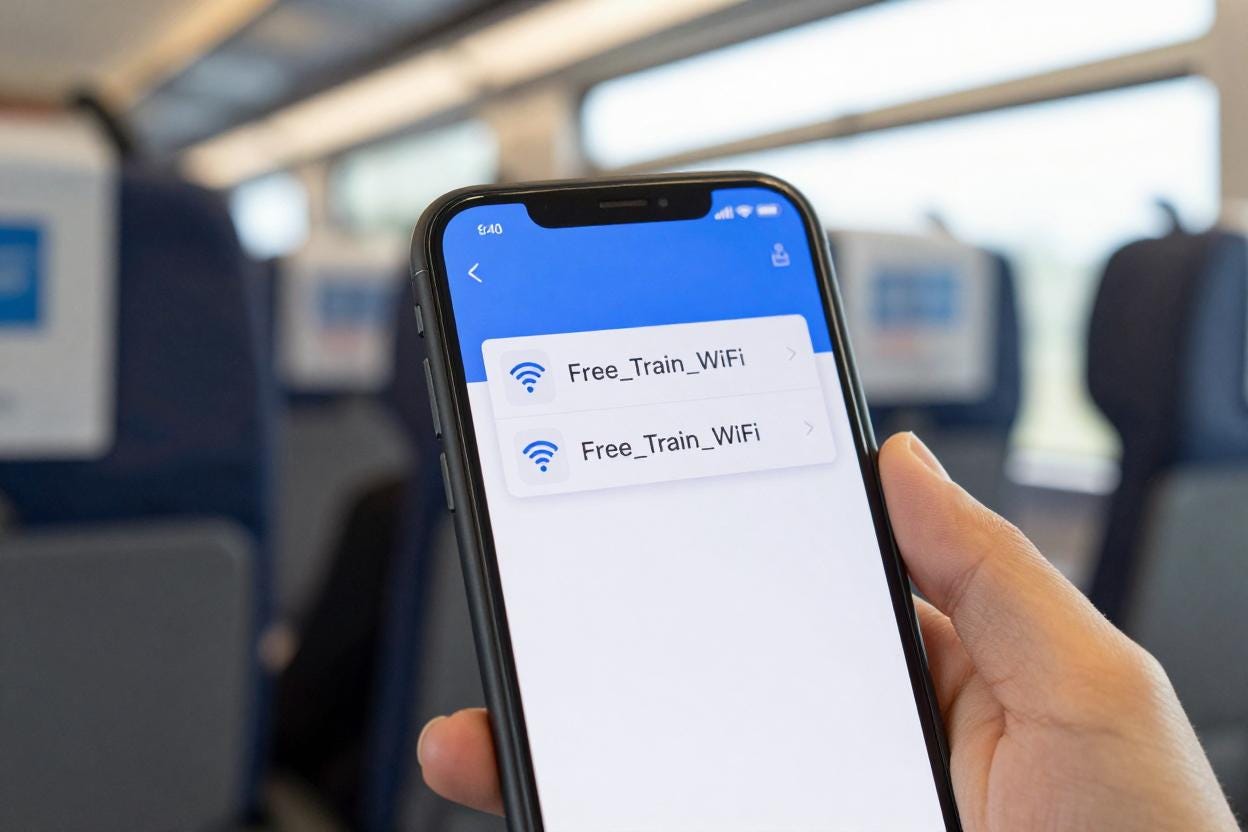
The truth is things have improved greatly when it comes to public WiFi networks but that doesn’t mean it’s always safe to use. In fact there are times where it can be a tremendously stupid thing to do.
The most common fear of hackers ‘seeing everything you do’ relates to what we would call a Man in the Middle attack, where scammers are able to sit between you and the website you are using, allowing them to sniff (look at) all your data going back and forth. These attacks are largely gone as almost every legitimate site now uses ‘https’. The ‘s’ at the end stands for security, it also means that the communication between you and the website is encrypted. If someone were to be sniffing (sorry) your traffic, all they’d see is gibberish. So, all good then right? Not quite.
The biggest problem with public WiFi isn't security—it's authenticity. Is the network you’ve just logged onto a legitimate one? How can you tell? In 2025 an Australian man was sentenced to seven years in prison for carrying out an Evil Twin attack. He stole countless credentials from unsuspecting airline passengers in airports and domestic flights by setting up public WiFi networks that used the same name as the real ones. Airline staff discovered a suspicious WiFi network aboard a domestic flight that copied the airline’s legitimate portal and alerted the police. When his victims logged onto the networks they landed on “login pages” that were asking for personal data, all their info was captured. Disturbingly the sentencing revealed he used the stolen credentials (and others obtained separately) to access women's accounts, monitor their communications, and steal intimate images and videos.

Attacks like this can be really profitable for scammers mainly due to most people’s bad digital habits. Just getting hold of a single password can often open the door to a whole lot of accounts. The 2025 NordPass Survey found that 60% of Brits recycle their logins. That’s like choosing to use the same key to open your front door, start your car, unlock your bike and open your safe. Bonkers really.
Another part of the problem is your phone. It’s been designed to be very helpful. For example, every time it connects to a WiFi network, it remembers its name. Next time it sees a network with the same name, it happily connects of its own accord - no questions asked, no warning, just connects away. The problem is anyone can name their WiFi anything they want. Which means your phone can connect to a malicious network without you even noticing.
Many believe using a Virtual Private Network (VPN) makes everything safe. I remember a time, not so long ago, when the only people using a VPN were deemed to be either well dodgy or paranoid security freaks. Now they’ve become quite trendy. It’s true that once your VPN is active and your tunnel has been established, everything you do, logins, browsing and all session data are secure even if you have accidentally logged on to a dodgy network. The issue is the captive portal moment - the page you have to get past before your device can get online. A VPN can’t encrypt anything before the tunnel is established. So when you land on a fake login page, any credentials you type in are captured, if your email client connects to check for mail, that data can also be exposed. VPNs can help protect your data but you still have to remain vigilant and make sure that tunnel remains unbroken. Hackers have been known to knock out connections which could see your device reconnect without the tunnel. If your VPN has a ‘kill switch’, use it. It means that if the tunnel collapses your connection will be terminated and no data will be transmitted outside the VPN.

So, we are back on the train. The WiFi is available, there are cat videos that need to be scrolled through, work that needs to be done and Netflix that needs to be watched. Should you log on? Yes, of course you should. You’ll most likely be fine but here are some sensible steps you can take to reduce the risk.
Never login to public WiFi using your social media, Google or any other website credentials. Those credentials should only ever be used to log in to those accounts. Avoid giving any personal data on a login page. If they insist on an email, use a disposable email address - NOT your personal or work email. You can set up a ‘junk’ email for these very occasions or try disposable temporary ones from Guerrillamail or TempMail.
Switch off “Auto Join” on your phone. This means no more joining networks without your permission. You can still allow your phone to automatically connect to specific networks like your home or work (still risky but I’m assuming no one is out to target you specifically). Also, while you are at it, delete any other public networks your phone has stored - this reduces the risk of it joining a similar named network, remember that’s what the hackers are counting on.
Use a VPN for extra security but keep in mind the login page is the weak link.
Never recycle passwords. Get a password manager or use the free one on your phone. We’ve talked about this before - and always use Multi-Factor Authentication.
If you are unsure but still need to get online on the move, then use your phone and tether your connection - particularly if you are doing banking or shopping.
It is understandable people will look for free WiFi wherever they can find it. Polling from Broadband Search carried out globally showed that 66% of people think public WiFi is safe to use. Data plans can be expensive and reception can be patchy. We have some of the worst 5G availability in Europe at just over 45% and people need to use their phones particularly when they are on the move. There are just over 53,000 public networks in the UK and that number will continue to grow - we all need to know how to use these networks safely.
Happy to report my data remained secure on this train, mainly because the WiFi dropped somewhere between Reading and Bristol but we can’t all rely on failing infrastructure to keep us safe, so next time you see “Free WiFi” just take a moment and make sure you’re not handing the keys to the kingdom to a complete stranger.